 |
| Even multi-billion dollar companies face data risks. A hybrid backup solution is the only real protection for your digital assets in 2026. |
(Yelklo is reader-supported. This post contains affiliate links. When you buy through our links, we may earn a commission at no extra cost to you. We only recommend gear we’ve bought with our own money and trust with our own business.)
The Hook: If Your Cloud Account Vanished, What’s Your Next Move?
Look, let’s be direct. If you woke up tomorrow and your Google Drive, iCloud, or Dropbox account was just… gone? Locked, hacked, or wiped clean. What would you do?
No, seriously. Take five seconds. What is your actual plan?
If the answer is a blank stare or “I have no idea,” then you need to read every word of this. That cold, sinking feeling in your stomach is the quiet truth of the risk you’re currently accepting. And we’re not just talking about losing a few holiday photos here. For freelancers, creators, and small businesses, this is about your entire livelihood—client work, financial records, your portfolio—vanishing in the blink of an eye.
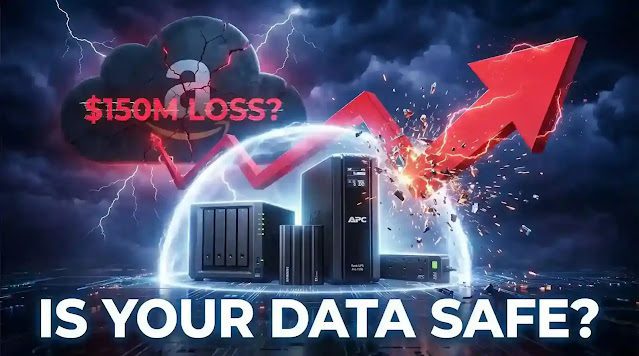
I’m not saying this to scare you, but we have to face the hard truth. We’ve been sold a convenient myth about the “invincible cloud.” Meanwhile, stories are circulating on tech forums and outlets like Yahoo Finance, detailing a scenario where a corporate giant like Amazon might have faced a catastrophic data loss, potentially from something as simple as a drone attack.
Whether that specific story is 100% confirmed or a cautionary tale, the lesson is brutally the same: if a company with a multi-billion dollar security budget is vulnerable, how can we possibly believe our $9.99/month cloud account is a fortress?
The $150M Wake-Up Call (What Reports Suggest)
The story that has captured the attention of security experts involves a critical Amazon data center. According to sources and circulating reports, the incident was not a typical cyber-attack but a physical one. The scenario suggests that a hostile drone was used to target the facility, causing significant physical damage and triggering a fire. This allegedly resulted in the destruction of numerous servers, leading to a massive data loss. The financial fallout was reportedly estimated at $150 million in damages and recovery costs. To make matters worse, it’s been suggested that the company’s insurance claim for the incident was denied, leaving them to bear the full cost. While these details remain in the realm of industry discussion, they paint a vivid picture of a modern-day threat we can’t afford to ignore.
 |
| The sinking feeling of being locked out of your own data is a real risk in a cloud-only world. |
The Real Problem: You’re Renting Your Digital Home on Shaky Ground
We mistook convenience for security. The reality is that a cloud data center is just a big building full of computers. Those buildings can burn down, flood, or be physically breached. We don’t own our data there; we’re just renting space. And as any renter knows, the landlord can change the rules—or lock you out—without warning.
Think about what a “data loss event” actually feels like. It’s not a polite error message on your screen.
It’s the gut-wrenching phone call where you have to tell a client you lost their final project files. It’s the blank, hollow feeling of realizing six months of your video footage is now an unreadable, corrupted mess. It’s discovering your business’s financial records have been encrypted by ransomware that your cloud sync feature helpfully distributed across every backup you had.
It’s a business-ending, reputation-destroying, and soul-crushing event.
 |
| Cloud data centers are not invincible fortresses; they are physical locations susceptible to real-world threats. |
Most People Will Ignore This Warning (Don’t Be That Person)
Here’s the honest truth. More than 90% of the people who read this article will nod along, agree it’s important, and then do absolutely nothing. They’ll close the tab and continue on with their day, thinking “it won’t happen to me.”
Then one day, it will. A hard drive will fail, an account will be locked, a file will be corrupted. And those will be the people filled with the most regret, frantically searching for a solution when it’s already too late.
You can take your first real backup in less than 10 minutes. The question isn’t if a backup is necessary. The only question is when you will start—today, or after your first devastating data loss?
If You Do Nothing Else, Do This One Thing Today
I get it. Building a full, professional backup system sounds like a project. So let’s cut through the friction and make it dead simple.
If you don’t have the time or budget for anything else, do this one thing today:
- Go to Amazon and buy a Samsung T7 Shield Portable SSD.
- When it arrives, plug it into your computer.
- Drag and drop every single file that is critical to your life or business onto that drive. Your “Client Work” folder, your “Family Photos,” your “Final Videos.” All of it.
That’s it. For less than the price of a night out, you will have created a physical, offline copy of your most important data. This single act makes you more secure than the vast majority of people who are blindly trusting the cloud. It’s your safety net. It’s the quick win that puts you back in control.
 |
| 3-2-1 Backup Rule is the gold standard for ensuring your data is safe from any single point of failure. |
The Unbreakable Solution: The 3-2-1 Hybrid Backup Rule
Once you have that first physical backup, you’re ready to adopt the professional strategy: the 3-2-1 Rule. This isn’t a friendly suggestion; it’s the non-negotiable gold standard for anyone whose data has value.
- Have THREE total copies of your data.
- On TWO different types of media (e.g., your computer’s drive and an external SSD).
- With ONE copy stored completely off-site (this is the perfect job for a cloud service).
This model ensures that no single point of failure—not a fire, not a theft, not a software bug, not a cloud provider’s policy change—can wipe you out completely.
The Game-Changer: The Yelklo “Get Control Back” Kit
Stop the guesswork. Here is a ready-made, affordable solution that gives you a complete, professional-grade hybrid system.
The Price Breakdown (One-Time Cost):
- Primary Local Backup (Samsung T7 Shield 1TB SSD): ~$100
- Hardware Protection (APC Back-UPS): ~$70
- Off-site Emergency Backup (Your Existing Cloud Service): $0 – $2/month
Total One-Time Investment to Secure Your Livelihood: ~$170
This isn’t an “expense.” It’s one of the wisest, highest-ROI investments you will ever make. It’s the price of sleeping well at night.
| Feature | Cloud Storage | External SSD | NAS (Private Cloud) |
|---|---|---|---|
| Speed | Slow (Depends on Internet) | Very Fast | Fast (Local Network) |
| Control | Low (You are renting) | High (You own it) | Absolute (You own the server) |
| Cost | Recurring (Monthly Fee) | One-Time | One-Time (Higher Initial) |
| Risk | Account Lockout, Breach | Theft, Physical Damage | Lowest (with RAID) |
| Internet Needed | Yes | No | Only for Remote Access |
Top Gear to Bulletproof Your Digital Assets (2026 Edition)
Quick Recommendation For Confused Buyers:
- Absolute Beginner? Start with the Samsung T7 SSD. It’s the most important first step.
- Ready for a Serious Setup? Combine the SSD with a Cloud backup plan (the 3-2-1 rule).
- Want Long-Term, Fort Knox Security? Add a NAS to your setup for the ultimate private cloud.
- The simple rule: The more important your data is, the stronger your backup strategy needs to be.
 |
| The T7 Shield offers a blend of speed and durability, making it the perfect starting point for any serious hybrid backup strategy. |
1. Rugged Portable SSD: Samsung T7 Shield
Use Case Trigger: You’re a creator, freelancer, or photographer. You work on the go, and your laptop bag gets dropped, bumped, and tossed around. You need a backup drive that can survive your actual, messy life.
Loss Avoidance Angle: A new T7 Shield costs around $100. The client project on your drive is worth $2,000. Your library of video assets took hundreds of hours to create. This drive’s IP65 water/dust rating and 9.8-foot drop protection mean a spilled coffee or a dropped bag is a minor inconvenience, not a business-ending catastrophe.
Mini-Comparison: SSD vs. Portable HDD?
- HDD (Hard Disk Drive): Cheaper. Uses fragile spinning platters. Slow, bulky, and can be destroyed by a short drop. Fine for deep archival storage if you handle it like a museum piece.
- SSD (Solid-State Drive): More expensive. Uses durable flash memory. It’s blazing fast, compact, and has no moving parts to break.
- The Verdict: If your data matters, you need an SSD. The speed and reliability are worth the extra cost, without question. Check out our full guide on the best external SSD for backup for a deeper dive.
Micro CTA Push: If you want to start your backup journey right now, the T7 Shield is the safest and most effective first step. 👉 See the latest price on Amazon (check for daily deals)
 |
| Take full ownership of your data by creating a private cloud with the Synology DS223j, the ultimate step for long-term security. |
2. Personal Cloud / NAS: Synology DS223j
Use Case Trigger: You’re sick of paying rising subscription fees for Dropbox or Google Drive. You want a central “data hub” for your home or small team that you own and control completely.
Loss Avoidance Angle: The initial cost of a NAS is a few hundred dollars. The cost of a single successful ransomware attack can be tens of thousands. A NAS is your private vault, isolated from many cloud-based threats, allowing you to restore clean files without paying a criminal. For a more detailed guide, see our tutorial on how to set up a NAS at home.
Micro CTA Push: For those serious about long-term data sovereignty and security, a NAS is the ultimate investment. 👉 Explore the full feature list on Amazon (it does more than you think)
 |
| Protect your entire backup system from power surges and blackouts with this essential, yet often overlooked, piece of hardware. |
3. Power Backup: APC Back-UPS BE600M1
Use Case Trigger: You have a desktop computer or a NAS. You live anywhere that has even momentary power flickers, surges, or storms.
Loss Avoidance Angle: This $70 box is the unsung hero. It’s not about working through a blackout; it’s about preventing a random power surge from instantly frying the sensitive electronics in your $2,000 computer. It’s the cheapest, most effective insurance policy you can buy for your hardware.
Micro CTA Push: This is the easiest and cheapest way to protect your expensive hardware from permanent damage. 👉 Check current price & availability on Amazon (it’s cheaper than a new PC)
 |
| This is not just theory. This is the battle-tested backup workflow we use at Yelklo to protect our digital assets. |
How We Use This Setup at Yelklo (Our Micro-Story)
Let me be honest. For a while, we were just like everyone else—relying way too much on the cloud. Then we had a scare. A critical project folder failed to sync properly before a business trip. Files were overwritten, and a week of intense work vanished into thin air. We eventually recovered a partial version, but the sheer panic of that moment was the wake-up call. We bought our first real backup SSD that same day.
Our workflow today is a direct result of that painful lesson:
- Daily: Active projects are backed up every single evening to a local Samsung T7 Shield. This is our “oops, I messed up that file” recovery drive.
- Weekly: All completed projects are archived to our office Synology NAS. This is our central fortress, ensuring our body of work is secure for the long haul.
- Automatic: The NAS then syncs an encrypted copy of our most critical business files to an off-site cloud server once a week. This is our “the building burned down” last resort. (See our cloud vs local storage guide for more on this strategy).
This isn’t theory from a blog post; it’s a battle-tested system born from a near-disaster.
The Final Word: Your Wake-Up Call Is Now
Stop waiting. Stop hoping your data is safe. Hope is not a strategy.
The biggest lie the tech world sold us is that our data is someone else’s problem. It’s not. A backup is always made before a disaster, not after.
Your data is your responsibility. Period. Start acting like it.
Frequently Asked Questions (FAQs)
1. What is the 3-2-1 backup rule?
The 3-2-1 rule is a simple but powerful data-protection strategy. It means you should have THREE total copies of your data, store two of them on different local media types (like your computer and an external SSD), and keep ONE copy completely off-site (like in cloud storage). This ensures no single event can wipe out all your data.
2. Is cloud storage safe?
Cloud storage is safe for convenience and as one part of a larger strategy, but it’s not foolproof. Your data is vulnerable to account lockouts, provider outages, policy changes, and physical threats to the data center. Relying on it as your *only* backup is a significant risk. It’s best used as your “off-site” copy in the 3-2-1 rule.
3. Is an SSD better than the cloud?
Neither is “better”; they serve different purposes. An SSD offers high speed, physical control, and offline access, making it ideal for your primary, frequent backups. The cloud offers off-site protection from local disasters like fire or theft. The strongest strategy doesn’t choose between them—it uses both. An SSD for speed and control, the cloud for emergency recovery.
4. Do I need a NAS?
For most beginners, a NAS is not an essential first step. However, if you’re a serious professional, a small business, or someone who wants ultimate control and privacy over large amounts of data without monthly fees, a NAS is the next logical step after an SSD. It becomes your own private, secure cloud server that you completely own and manage.
About the Author